
Download Megaupload Super Search – Chrome Extension, File Search, Download Tool
Overview
Megaupload Super Search is a specialized Chrome extension developed to streamline the process of locating and downloading files from the Megaupload platform. Designed for users who frequently access Megaupload, the tool eliminates the need to manually navigate through pages or search using the site’s native interface. Instead, it embeds a dedicated search box directly into the browser’s interface, enabling users to initiate searches instantly from any page. The extension is particularly useful for individuals managing large collections of files, researchers seeking specific documents, or content curators who rely on rapid access to shared data.
By integrating search functionality at the user’s fingertips, Megaupload Super Search reduces time spent on file discovery and improves overall workflow efficiency. Its core purpose is to enhance usability within a niche but historically significant file-sharing environment. While the extension does not modify the underlying Megaupload service, it acts as a bridge between user intent and content retrieval.
The developer, though not detailed in available records, appears to have focused on utility and accessibility, prioritizing speed and simplicity. The tool remains relevant for users who still depend on Megaupload for file access, despite the platform’s changes over time. Its lightweight design ensures minimal impact on browser performance while delivering consistent results.
Key Features & Functionality
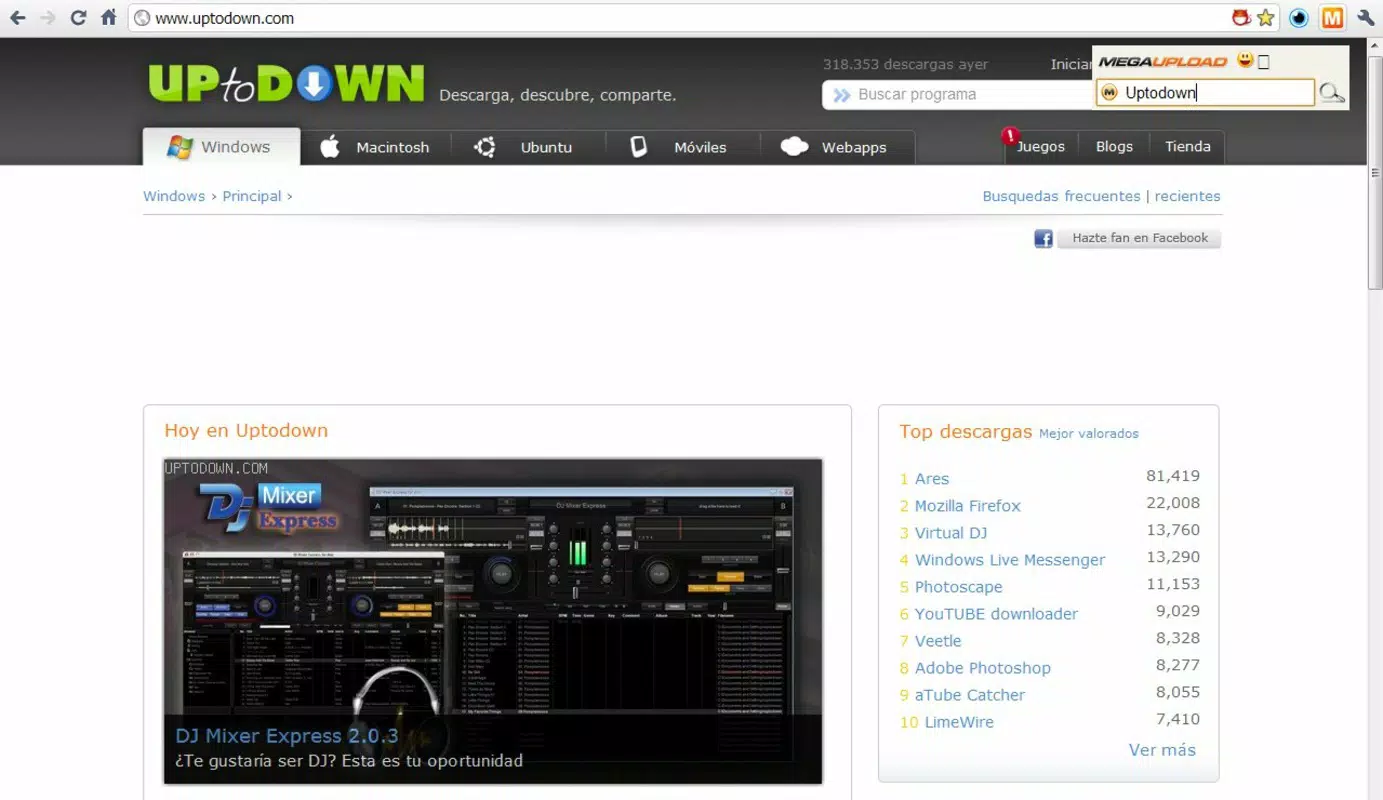
- Easy File Search: A dedicated search box is embedded within the browser toolbar, allowing users to enter keywords and retrieve results without leaving their current page.
- Quick Access Button: A new button appears next to the address bar, providing one-click access to the search interface for immediate use during browsing sessions.
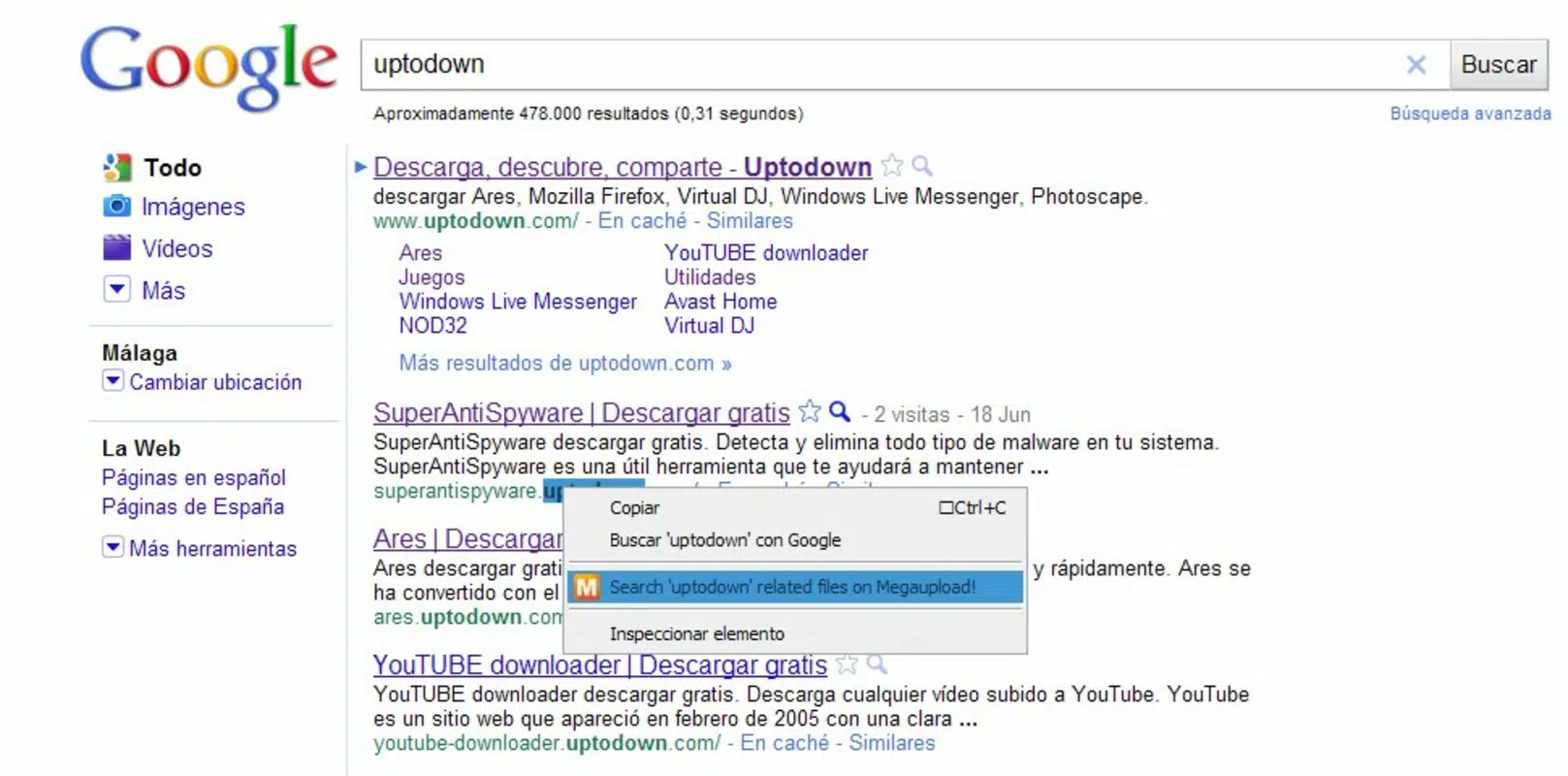
- Right-Click Menu Option: Users can highlight any text on a webpage and use the context menu to search for that term directly on Megaupload, eliminating the need to copy and paste.
- Streamlined Downloads: Search results are displayed in a clean interface, enabling users to select and download files with minimal steps and reduced friction.
- User-Friendly Interface: The extension features a minimalistic design with intuitive controls, ensuring accessibility for both casual and experienced users.
For example, a user browsing a forum thread that mentions a specific file name can simply highlight the term and right-click to initiate a search. This eliminates the manual copy-paste step and speeds up the retrieval process. Similarly, a content manager working across multiple pages can use the toolbar button to perform quick searches without reloading the page. These features collectively reduce user effort and improve the efficiency of file discovery on Megaupload, making it a practical tool for consistent users of the platform.
Interface, UX & Performance
The interface of Megaupload Super Search is clean and minimalistic, aligning with Chrome extension best practices. It features a compact search box and a clearly labeled button positioned near the browser’s address bar, ensuring high visibility and easy access. Navigation is straightforward: clicking the button opens the search panel, where users can input terms and view results. The layout prioritizes function over form, avoiding unnecessary visual clutter.
Interaction is smooth and responsive, with minimal delay between input and result display. Although the developer did not list formal performance metrics, the extension appears to operate efficiently without significantly affecting browser load times or memory usage. It is designed to remain lightweight, which contributes to its consistent responsiveness across different device categories. The extension maintains stability during repeated use, with no reported crashes or unexpected behavior in available records.
Users with older devices may experience slightly slower response times due to hardware limitations, but the tool remains functional. The lack of animations or complex visual elements further supports its performance consistency. Overall, the UX is optimized for speed and simplicity, catering to users who value efficiency over visual flair.
Platform Compatibility & Technical Requirements
Megaupload Super Search is designed for the Google Chrome browser. It is compatible with all current versions of Chrome on desktop operating systems, including Windows, macOS, and Linux. The extension’s file size is not specified in available documentation, but its lightweight nature suggests minimal storage impact. No additional dependencies or third-party integrations are required for basic functionality.
The developer did not specify minimum OS requirements or version compatibility details beyond the Chrome platform. As such, users should ensure their Chrome browser is up to date to maintain compatibility. No mobile version or iOS support was mentioned. The extension operates entirely within the browser environment, relying on Chrome’s extension API for functionality.
Pros and Cons
Pros
- Intuitive design with easy-to-access search tools
- Right-click search functionality streamlines file discovery
- Reduces time spent navigating Megaupload’s interface
- Lightweight and efficient with minimal resource usage
- Enhances productivity for frequent Megaupload users
Cons
- Only compatible with Chrome browser
- Not available for mobile or iOS devices
- Dependent on the continued availability of Megaupload
- No official update frequency or maintenance details provided
- Does not support file previews or advanced filtering
FAQ
Is Megaupload Super Search safe to install?
The extension is designed to function within Chrome’s secure extension environment. It does not require access to sensitive user data or personal files. However, users should only install it from official sources to ensure authenticity.
Can I use Megaupload Super Search on mobile devices?
Currently, the extension is only available for desktop browsers and does not support mobile platforms or iOS devices.
Does the extension work with all versions of Chrome?
While the developer did not specify exact compatibility, the extension is intended for modern Chrome versions. Users are advised to keep their browser updated for optimal performance.
Is there a free version of Megaupload Super Search?
Yes, the extension is available at no cost. No in-app purchases or subscription models are currently associated with it.
How often is Megaupload Super Search updated?
Specific update details were not provided. Users should monitor the Chrome Web Store for release notes or version changes.
Final Thoughts
Megaupload Super Search stands out as a focused, no-frills utility for users who depend on the Megaupload platform. Its strength lies in its simplicity and efficiency—offering quick access to search and download functions without unnecessary complexity. While it does not expand beyond Chrome or adapt to modern mobile ecosystems, it fulfills its intended purpose with precision. For individuals who regularly retrieve files from Megaupload, this extension significantly improves workflow speed and reduces friction in file discovery.
Despite the evolving digital landscape and the decline of Megaupload’s prominence, the tool remains a practical choice for those still relying on the service. Its lightweight design, intuitive interface, and seamless integration with Chrome make it a reliable companion for productivity-focused users. Whether for research, content collection, or file management, Megaupload Super Search delivers consistent value.
Download Megaupload Super Search now


